AMCC 3WARE 9500S Uživatelská příručka Strana 165
- Strana / 302
- Tabulka s obsahem
- ŘEŠENÍ PROBLÉMŮ
- KNIHY


- User Guide 1
- Copyright 2
- Trademarks 2
- Disclaimer 2
- Table of Contents 3
- About this User Guide 7
- Conventions 9
- Screenshots 9
- Click the Show Navigation 10
- Contents 10
- Introducing the 3ware 11
- RAID Controller 11
- System Requirements 12
- Drive Requirements 13
- Operating System 13
- Other Requirements 13
- RAID Concepts 14
- Available RAID Configurations 15
- Single Disk 20
- Hot Spare 20
- Management 23
- Monitoring, Maintenance, and 24
- Troubleshooting Features 24
- Getting Started with Your 26
- 3ware RAID Controller 26
- Using 3BM 30
- Figure 8. 3ware BIOS Screen 31
- Specifying a Hot Spare 38
- What Next? 39
- Driver Installation 40
- Materials Required 41
- Different Device 43
- Available to Windows 48
- Obtaining 3ware Linux Drivers 50
- Fedora Core 5 51
- Instructions 54
- 3w-9xxx.big 55
- 3w-9xxx.hug 55
- 3w-9xxx.i32 55
- Materials required 57
- Device” on page 48 58
- /sys/modules/twa 66
- 3ware BIOS Manager 2 (3BM 2) 67
- Introduction 67
- Working in the 3BM Screens 70
- Table 7: Working in 3BM 2 72
- BIOS Loading Options 73
- Getting Help While Using 3BM 75
- 3DM 2 (3ware Disk Manager) 76
- Browser Requirements for 3DM 77
- Installing 3DM 78
- Starting 3DM and Logging In 78
- Start/Play icon 80
- Working with the 3DM Screens 81
- 3DM Menus 82
- Refreshing the Screen 84
- Table 8: List of 3DM Pages 85
- Setting Up 3DM Preferences 86
- Setting the Incoming Port # 89
- Configuring Your Controller 90
- About Controller Policies 92
- Viewing Controller Policies 93
- • Choose 94
- from the menu bar 94
- Auto-Carving 98
- Exporting JBOD Disks 100
- Configuring Units 101
- Chapter 8. Configuring Units 102
- Name of the unit (optional) 103
- Unit policies 103
- Creating a Unit through 3DM 104
- Creating a Unit through 3BM 107
- Ordering Units in 3BM 110
- Creating a Hot Spare 113
- Naming a Unit 115
- Setting Unit Policies 116
- About StorSave Profile Levels 122
- Migrating 125
- Changing RAID Level 127
- Expanding Unit Capacity 128
- Configuration 129
- Deleting a Unit 130
- Deleting a Unit through 3DM 131
- Deleting a Unit through 3BM 132
- Removing a Unit 133
- Removing a Unit Through 3DM 134
- Removing a Unit Through 3BM 135
- Controller 136
- 9650SE Controller 138
- Adding a Drive 139
- Removing a Drive 140
- Rescanning the Controller 141
- Management > Maintenance 142
- Rescan Controller 142
- Maintenance page 142
- Maintaining Units 143
- Chapter 9. Maintaining Units 144
- Unit Statuses 145
- Drive Statuses 147
- About Inoperable Units 148
- Downloading an Error Log 151
- Background Tasks 152
- About Initialization 153
- About Verification 156
- What Verification Does 157
- Starting a Verify Manually 158
- Rebuilding Units 160
- Rebuilding a Unit Through 3DM 161
- Rebuilding Units through 3BM 162
- Different Drive 164
- Setting Background Task Rate 165
- Scheduling Background Tasks 166
- Scheduled Task Duration 167
- Removing a Task Schedule 169
- Identify box 172
- Identify column 172
- Maintaining Your Controller 173
- Begin Update 176
- Under Windows 177
- Have Disk… button 184
- Fedora Core 188
- Viewing Battery Information 193
- Testing Battery Capacity 193
- 3DM 2 Reference 196
- Controller Summary page 197
- Controller Details page 198
- Unit Information page 199
- Unit Details page 200
- Drive Information page 202
- Drive Details window 203
- SMART Data 204
- Controller Settings page 205
- Unit Policies 206
- Unit Names 207
- Other Controller Settings 207
- Update Firmware 208
- Scheduling page 209
- Task Schedules 210
- Self-test Schedules 210
- Unit Maintenance 213
- Unit Information 214
- Maintenance Task Buttons 215
- Create Unit 218
- Alarms page 220
- Battery Backup page 221
- Enclosure Summary page 223
- Enclosure Details page 224
- 3DM 2 Settings page 225
- E-mail Notification 226
- Password 226
- Page Refresh 227
- Remote Access 227
- HTTP Settings 227
- Troubleshooting 228
- http:// 229
- Command Logging 230
- Problems and Solutions 230
- Enclosure-Related Problems 231
- Chapter 12. Troubleshooting 232
- Problems in 3DM and 3BM 233
- 0002 Degraded unit 238
- 0004 Rebuild failed 239
- 0005 Rebuild completed 239
- 0006 Incomplete unit detected 240
- 0007 Initialize completed 240
- 0009 Drive timeout detected 241
- 000A Drive error detected 242
- 000B Rebuild started 242
- 000C Initialize started 243
- 000E Initialize failed 243
- 000F SMART threshold exceeded 244
- 0019 Drive removed 245
- 001A Drive inserted 245
- 001E Unit inoperable 245
- 001F Unit Operational 246
- 0021 Downgrade UDMA mode 246
- 0022 Upgrade UDMA mode 247
- 0023 Sector repair completed 247
- 0026 Drive ECC error reported 249
- 0028 DCB version unsupported 250
- 0029 Verify started 251
- 002A Verify failed 251
- 002B Verify completed 252
- . If you have more than one 253
- 0030 Drive not supported 255
- 0032 Spare capacity too small 255
- 0033 Migration started 256
- 0034 Migration failed 256
- 0035 Migration completed 257
- 0037 SO-DIMM not compatible 257
- 0038 SO-DIMM not detected 258
- 003B Rebuild paused 259
- 003C Initialize paused 260
- 003D Verify paused 260
- 003E Migration paused 261
- 0045 Battery voltage is low 263
- 0046 Battery voltage is high 264
- 0055 Battery charging started 269
- 0057 Battery charging fault 270
- 005A Battery is present 271
- 005B Battery is not present 271
- 005C Battery is weak 272
- Appendices 274
- Glossary 275
- Software Installation 281
- Uninstalling Software 289
- Compliance and Conformity 290
- Statements 290
- Warranty, Technical Support 292
- Exclusions 293
- State Law Provisions 293
- Feedback on this manual 294
Související produkty a manuály pro Řadiče RAID AMCC 3WARE 9500S
 (93 stránky)
(170 stránky)
(36 stránky)
(93 stránky)
(170 stránky)
(36 stránky)
Extech Instruments 42275 Handbücher
Bedienungsanleitungen und Benutzerhandbücher für Thermometer Extech Instruments 42275.
Wir stellen 1 PDF-Handbücher Extech Instruments 42275 zum kostenlosen herunterladen nach Dokumenttypen zur Verfügung Bedienungsanleitung
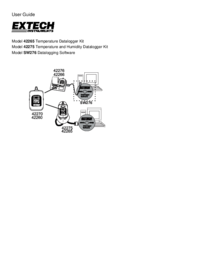
Extech instruments 42275 Bedienungsanleitung (22 Seiten)
Marke: Extech-instruments | Kategorie: Thermometers | Größe: 0.81 MB |
Inhaltsverzeichnis
3
10
11
11
12
13
14
15
18
22
Weitere Produkte und Handbücher für Thermometer Extech Instruments
| Modelle | Dokumententyp |
|---|---|
| POCKET INFRARED IR201A |
Bedienungsanleitung
Extech Instruments POCKET INFRARED IR201A User Manual,
1 Seiten
|
| LASER POINTER 42530 |
Bedienungsanleitung
Extech Instruments LASER POINTER 42530 User Manual,
4 Seiten
|
| 470 |
Bedienungsanleitung
Extech Instruments 470 User Manual,
21 Seiten
|
| IR100 |
Bedienungsanleitung
Extech Instruments IR100 User Manual,
1 Seiten
|
© 2020, manymanuals.cz. Všechna práva vyhrazena. | 0.040 s |
 Manymanuals.com
 Manymanuals.de
 Manymanuals.fr
 Manymanuals.it
 Manymanuals.pl
 Manymanuals.cz
 Manymanuals.es
 Manymanuals-pt.com
Komentáře k této Příručce